
How to Download YouTube Videos in 4K for Free
Watching YouTube videos online is convenient, but sometimes you need to save a video for offline viewing, personal reference, or use in your own projects. Whether it's a travel video, an educational tutorial, a documentary, or a high-quality presentation, having the original video quality can make a significant difference.
If you're wondering how to download YouTube videos in 4K for free, this guide will walk you through everything you need to know.
We'll explain different video resolutions, show you how to choose the right quality, discuss common video formats, and introduce a simple online tool that makes the process easier.
What Is 4K Video Quality?
4K is a high-resolution video format that provides significantly more detail than standard HD video.
A standard 4K video typically has a resolution of 3840 × 2160 pixels, which is four times the number of pixels found in Full HD (1920 × 1080).
This means 4K videos can display sharper details, clearer textures, and more visual information, especially on larger screens.
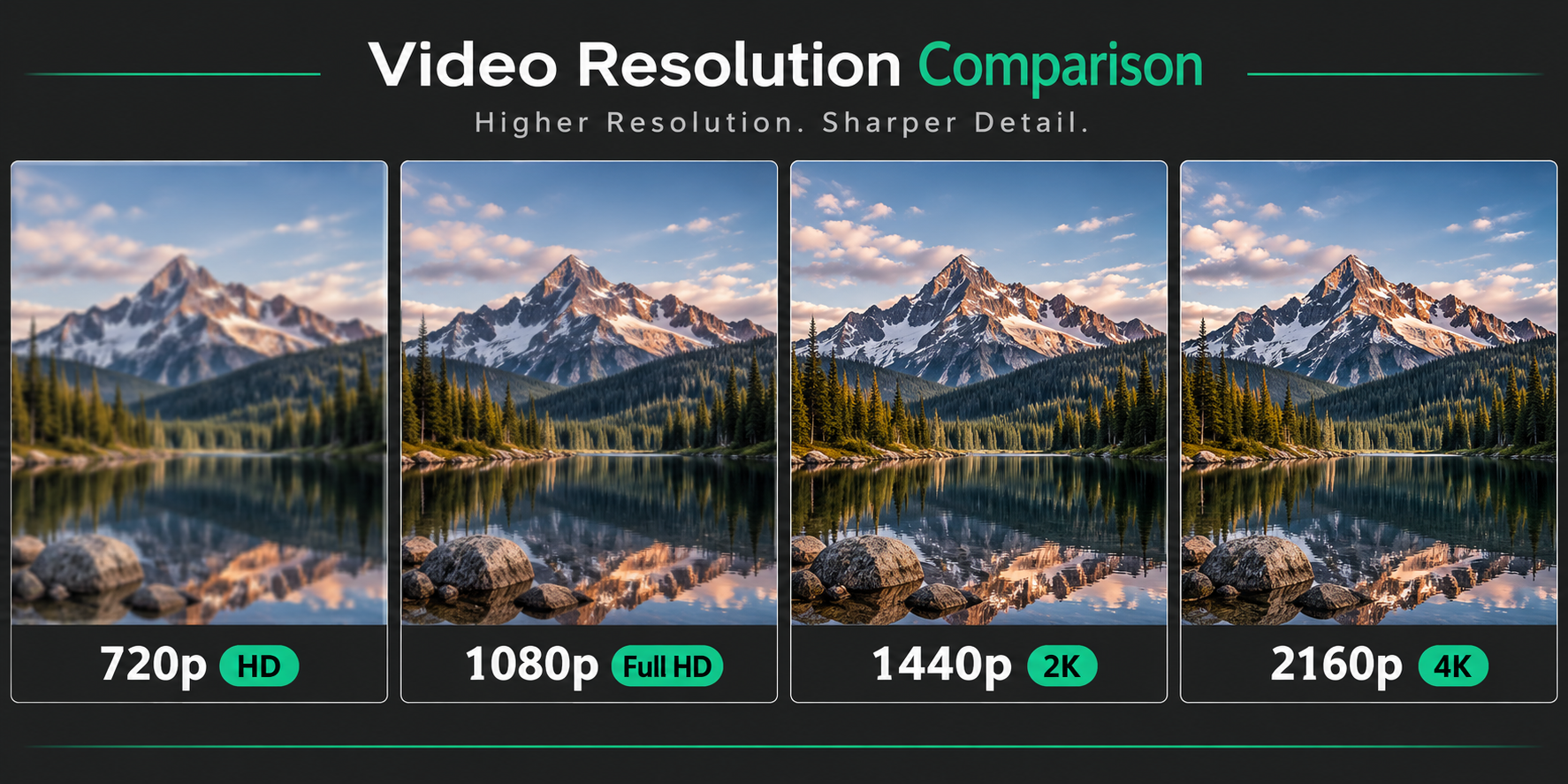
Suggested image: A visual comparison of 720p, 1080p, and 4K video quality.
4K resolution is particularly useful for:
- Watching movies and documentaries on large screens.
- Saving high-quality educational videos.
- Keeping travel videos and memorable moments.
- Reviewing tutorials where small details matter.
- Working with high-resolution footage in video editing projects.
However, downloading a video in 4K does not automatically make it a genuine 4K video. The original upload must actually support that resolution.
Understanding YouTube Video Resolutions
Before downloading a video, it's important to understand what the different resolution options mean.
YouTube supports several video resolutions, ranging from low-quality SD to ultra-high-definition 4K and even 8K.
Here is a comparison of the most common options:
| Quality | Resolution | Best For |
| 360p | 640 × 360 | Low-bandwidth viewing |
| 480p | 854 × 480 | Basic mobile viewing |
| 720p (HD) | 1280 × 720 | Everyday viewing |
| 1080p (Full HD) | 1920 × 1080 | High-quality viewing |
| 1440p (2K) | 2560 × 1440 | Detailed displays |
| 2160p (4K) | 3840 × 2160 | Ultra-high-definition video |
| 4320p (8K) | 7680 × 4320 | Extremely high-resolution displays |
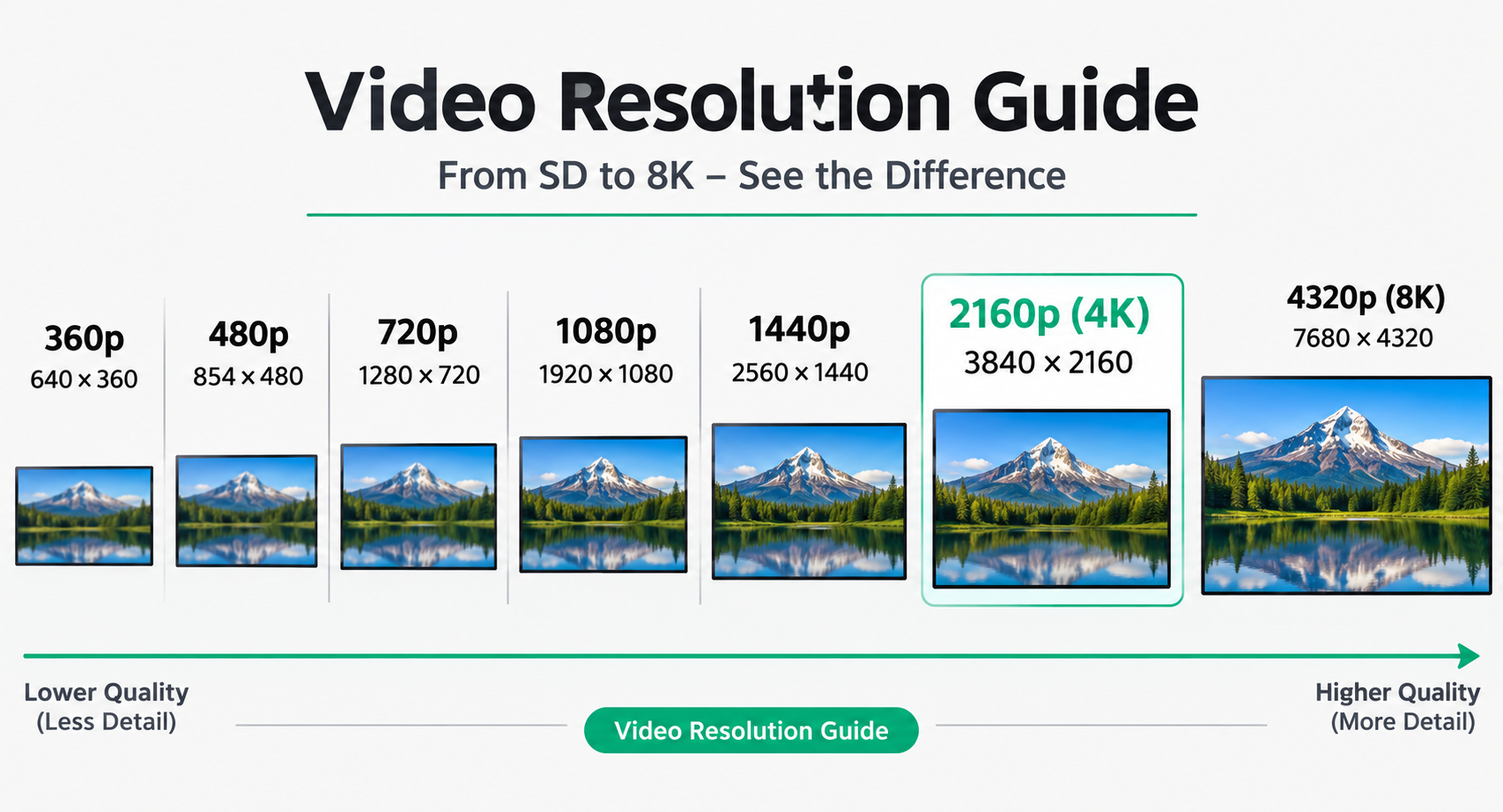
Suggested image: A resolution comparison chart showing 360p, 480p, 720p, 1080p, 1440p, 2160p, and 4320p.
360p and 480p – Standard Definition
These resolutions are suitable when file size and download speed are more important than image quality.
They work reasonably well on smaller screens but may look blurry when displayed on larger monitors or televisions.
720p – High Definition
720p provides a noticeable improvement over standard definition.
It's a practical choice for everyday viewing, particularly when you want to keep downloaded files relatively small.
1080p – Full HD
1080p is one of the most widely used video resolutions.
It offers a good balance between image quality and file size, making it suitable for laptops, desktop monitors, smartphones, and most televisions.
1440p – 2K
1440p provides more detail than Full HD and is particularly useful for larger displays.
It's a good middle ground if you want higher quality without downloading particularly large 4K files.
2160p – 4K Ultra HD
4K is an excellent option when image quality is your priority.
With four times as many pixels as 1080p, it provides more detail and sharper images, especially on large displays.
Keep in mind that 4K videos generally require more storage space and a faster internet connection.
4320p – 8K
8K is currently one of the highest commonly available consumer video resolutions.
It offers significantly more pixels than 4K but also requires much more storage and processing power.
For most users, 4K is already more than enough for an excellent viewing experience.
How to Download YouTube Videos in 4K for Free
You don't necessarily need to install additional software to save a video online. A browser-based downloader can make the process much simpler.
With Flowly's YouTube Downloader, you can use an online interface to process a supported YouTube video without installing a desktop application.
Follow these steps:
Step 1: Find the YouTube Video
Open YouTube and navigate to the video you want to download.
Make sure the original video is available in 4K if you want to save it at 2160p resolution.
You can check the available quality options through the YouTube video player's settings.
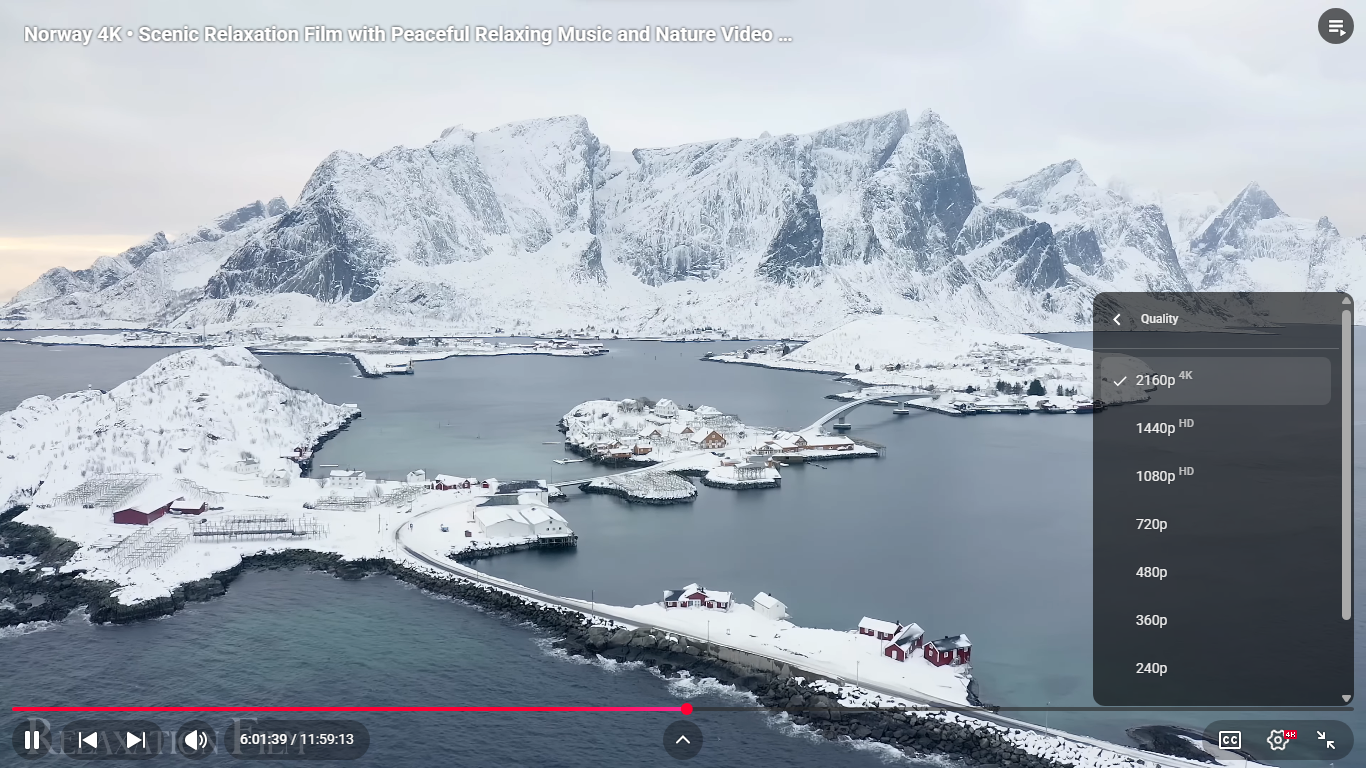
Suggested image: A YouTube video player with the Settings menu and Quality options highlighted.
Step 2: Copy the Video URL
Once you've found your video:
- Open the video on YouTube.
- Click the Share button or copy the URL from your browser's address bar.
- Copy the complete video link.
Make sure you copy the actual video URL rather than a channel or playlist URL.
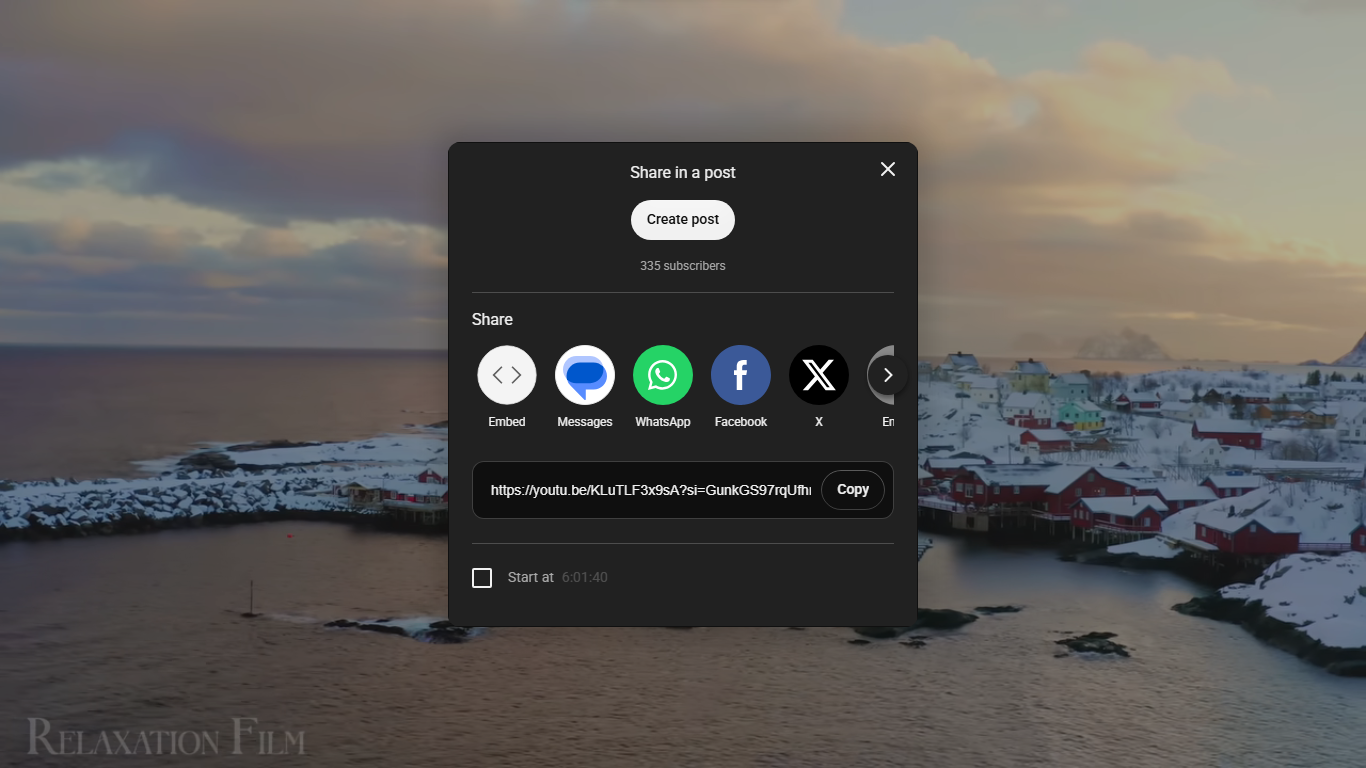
Suggested image: Screenshot showing how to copy a YouTube video link using the Share button.
Step 3: Open Flowly YouTube Downloader
Visit the Flowly YouTube Downloader:
https://flowlycore.com/tools/youtube-downloader/
Paste the copied video URL into the input field.
The tool will process the link and retrieve the available video information and supported download options.
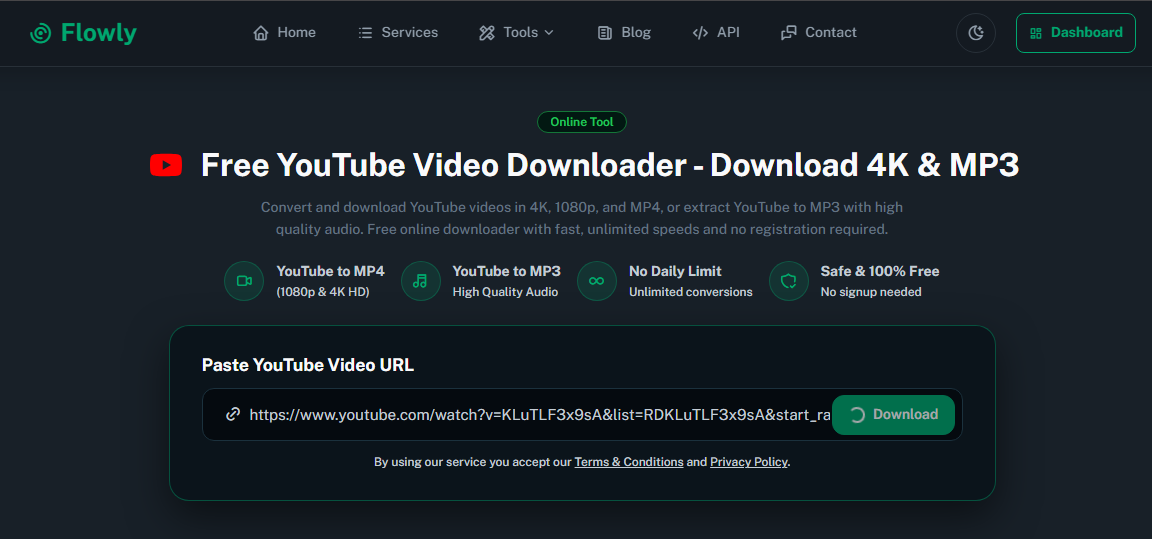
Suggested image: Flowly YouTube Downloader interface with a video URL pasted into the input field.
Step 4: Choose Your Preferred Quality
After processing the link, review the available quality options.
If 2160p (4K) is available, select it to get the highest supported resolution.
Depending on the video and available formats, you may also see options such as:
- 360p
- 480p
- 720p
- 1080p
- 1440p
- 2160p (4K)
Not every video supports every resolution. The available options depend on the original video and the formats supported by the downloader.
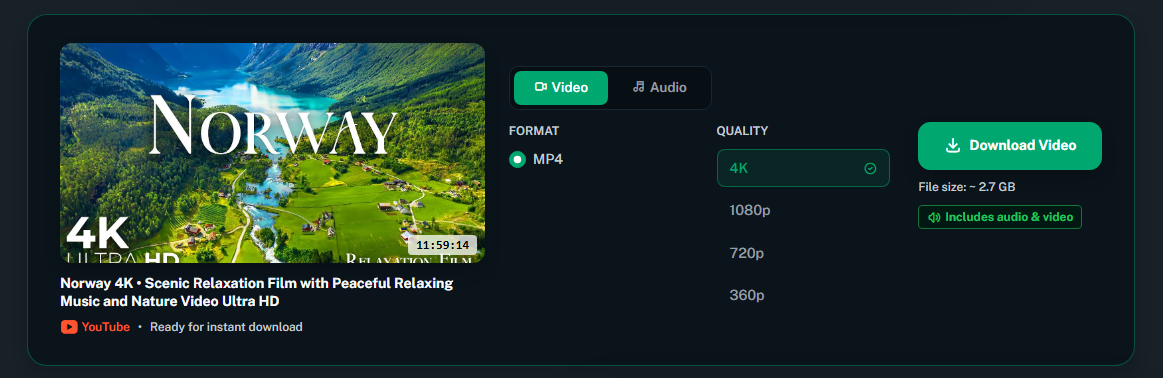
Suggested image: Screenshot of available video resolution and download options.
Step 5: Download and Save Your Video
After selecting your preferred option, start the download.
Wait for the file to finish downloading and check that it has been saved successfully.
For larger 4K videos, make sure you have enough available storage space.
That's it! You now have your video saved locally for permitted offline use.
Which Video Resolution Should You Choose?
The best resolution depends on your device, internet connection, storage capacity, and intended use.
Here are some practical recommendations:
| Your Situation | Recommended Quality |
| Small smartphone screens | 720p |
| Everyday video watching | 1080p |
| Large monitors | 1440p |
| 4K televisions | 2160p |
| Professional video projects | Highest available source quality |
If you're unsure, 1080p is usually a good balance for everyday use.
However, if you have enough storage and want to preserve as much available detail as possible, 4K is a better choice when supported by the original video.
Does Downloading in 4K Always Mean Better Quality?
Not necessarily.
One important thing to understand is that resolution is only one part of video quality.
Other factors can also affect how a video looks:
1. Original Video Quality
A video originally recorded in 1080p cannot gain genuine 4K detail simply by being converted or upscaled to 2160p.
2. Bitrate
Bitrate determines how much data is used to represent video over time. A higher bitrate can help preserve more visual detail, although the result also depends on the codec and source material.
3. Frame Rate
Frame rate is the number of frames displayed per second (FPS).
Common frame rates include 24, 30, and 60 FPS. Higher frame rates can make fast-moving scenes appear smoother.
4. Video Compression
Video platforms use compression to reduce file sizes and make streaming more efficient.
Different codecs and compression settings can produce different results, even when two videos have the same resolution.
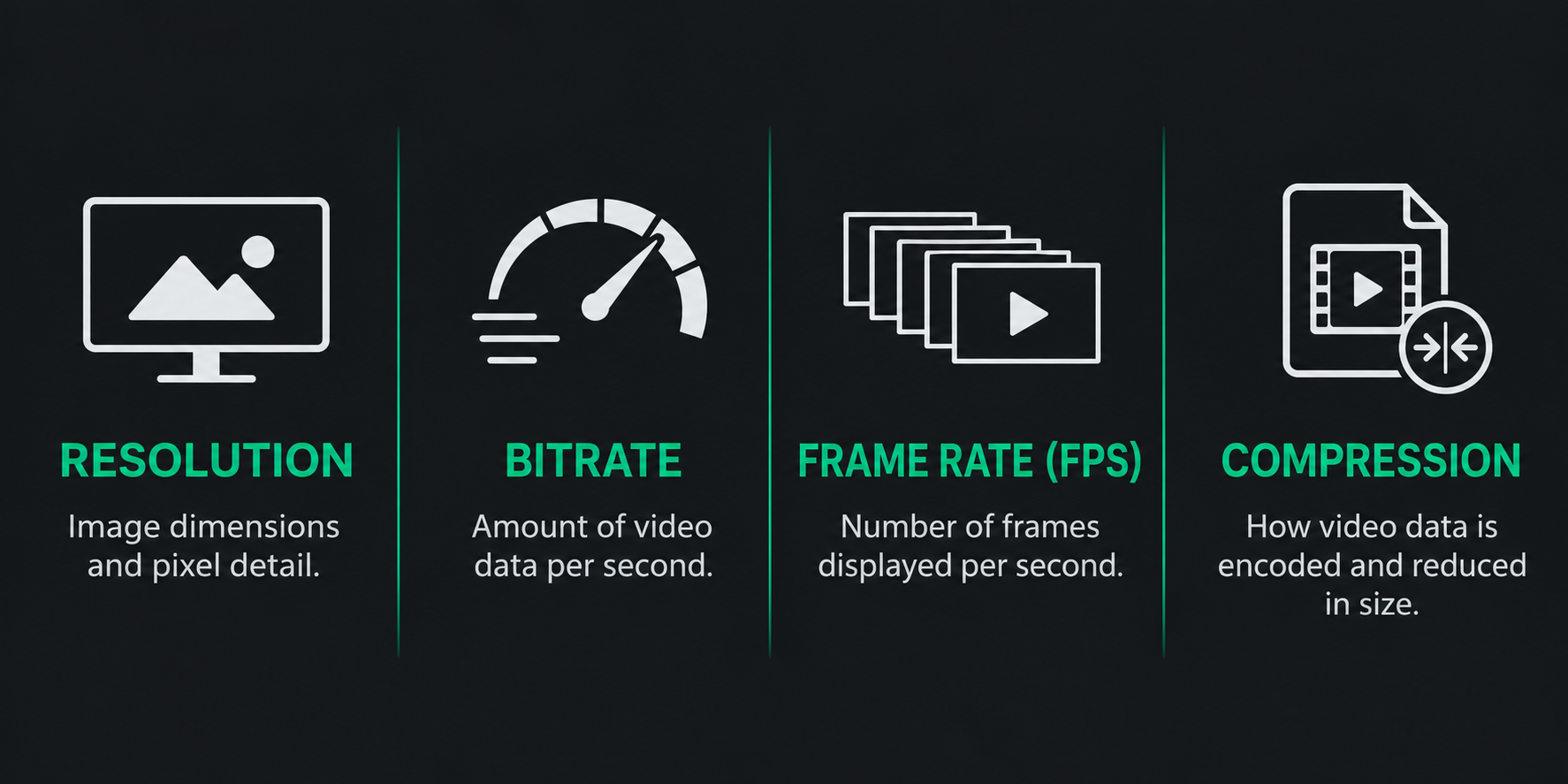
Suggested image: A comparison showing bitrate, frame rate, resolution, and compression as four elements of video quality.
MP4 vs WebM: Which Format Is Better?
When downloading videos, you may encounter different file formats.
Two common formats associated with online video are MP4 and WebM.
MP4
MP4 is one of the most widely supported video container formats.
Advantages include:
- Compatible with most smartphones, computers, and media players.
- Easy to share and store.
- Suitable for video editing.
- Commonly uses H.264 video and AAC audio.
If compatibility is your priority, MP4 is usually a convenient choice.
WebM
WebM is another popular format used for web video.
It commonly supports modern codecs such as VP9 and AV1.
Advantages include:
- Efficient video compression.
- Support for modern video technologies.
- Useful for web-based video playback.
Some devices and editing applications may require additional software or conversion to play certain WebM files.
Which One Should You Choose?
For general use, MP4 is a practical option because of its broad compatibility.
However, the best choice depends on the available download formats, supported codecs, and how you intend to use the file.
Remember that the container format alone does not determine video quality.
Tips for Getting the Best Results When Downloading 4K Videos
If you regularly download high-resolution videos, a few simple practices can improve your experience.
1. Check the Original Resolution
Always check whether the source video actually supports 4K.
Selecting 2160p does not guarantee genuine 4K detail if the original video was uploaded at a lower resolution.
2. Make Sure You Have Enough Storage
4K files can be considerably larger than 1080p files.
Before downloading, check your available storage, especially if you plan to save multiple videos.
3. Use a Stable Internet Connection
High-resolution videos contain more data, so downloading them may take longer.
A stable connection helps reduce interruptions during the process.
4. Choose the Right Format
Consider where you plan to watch or edit your video.
MP4 is generally a convenient option for compatibility, while WebM can be useful depending on your device and software.
5. Avoid Untrusted Download Websites
Be careful with websites that display misleading download buttons, unexpected redirects, or requests to install unknown applications.
Use trusted tools and avoid sharing account passwords or other sensitive information with third-party download websites.
Frequently Asked Questions (FAQ)
Can I download YouTube videos in 4K for free?
You can use an online downloader such as Flowly to process supported video links without installing desktop software. Available resolutions depend on the original video and the tool's supported formats.
Always make sure you have the necessary rights or authorization to download the content.
How do I know if a YouTube video supports 4K?
Open the YouTube video, select Settings, and navigate to Quality.
If 2160p is listed, the video supports 4K playback.
Why is the 4K download option missing?
There are several possible reasons:
- The original video was not uploaded in 4K.
- YouTube has not finished processing the high-resolution version.
- The downloader does not support the available format.
- The video has restrictions that prevent processing.
Try checking the video again later or selecting a lower available resolution.
Is 4K better than 1080p?
Generally, yes. 4K provides four times the pixel count of 1080p and can display more detail.
However, the difference is most noticeable on larger screens and when the original footage contains genuine 4K detail.
Does 4K video take up more storage?
Yes. 4K videos generally require more storage than lower-resolution versions.
The exact file size depends on video duration, bitrate, codec, and compression settings.
Can I download YouTube videos on my phone?
An online downloader can be accessed through a mobile browser, so you don't necessarily need to install a separate application.
The available download formats and quality options may vary depending on the device and browser.
Can I download only the audio?
Audio extraction depends on the formats and features supported by the downloader. Check the available options after processing your video link.
Is downloading YouTube videos legal?
Downloading content is subject to YouTube's Terms of Service, copyright rules, and applicable laws.
You should only download videos when YouTube explicitly permits it, you own the content, have permission from the rights holder, or another applicable legal exception allows it.
For more information, review YouTube's Terms of Service.
Download YouTube Videos with Flowly
Finding a simple way to save high-quality videos shouldn't require complicated software or unnecessary installations.
Flowly provides an online YouTube Downloader designed to make video processing straightforward.
Simply open the tool, paste a supported video link, review the available options, and choose your preferred quality.
Try Flowly YouTube Downloader:
https://flowlycore.com/tools/youtube-downloader/
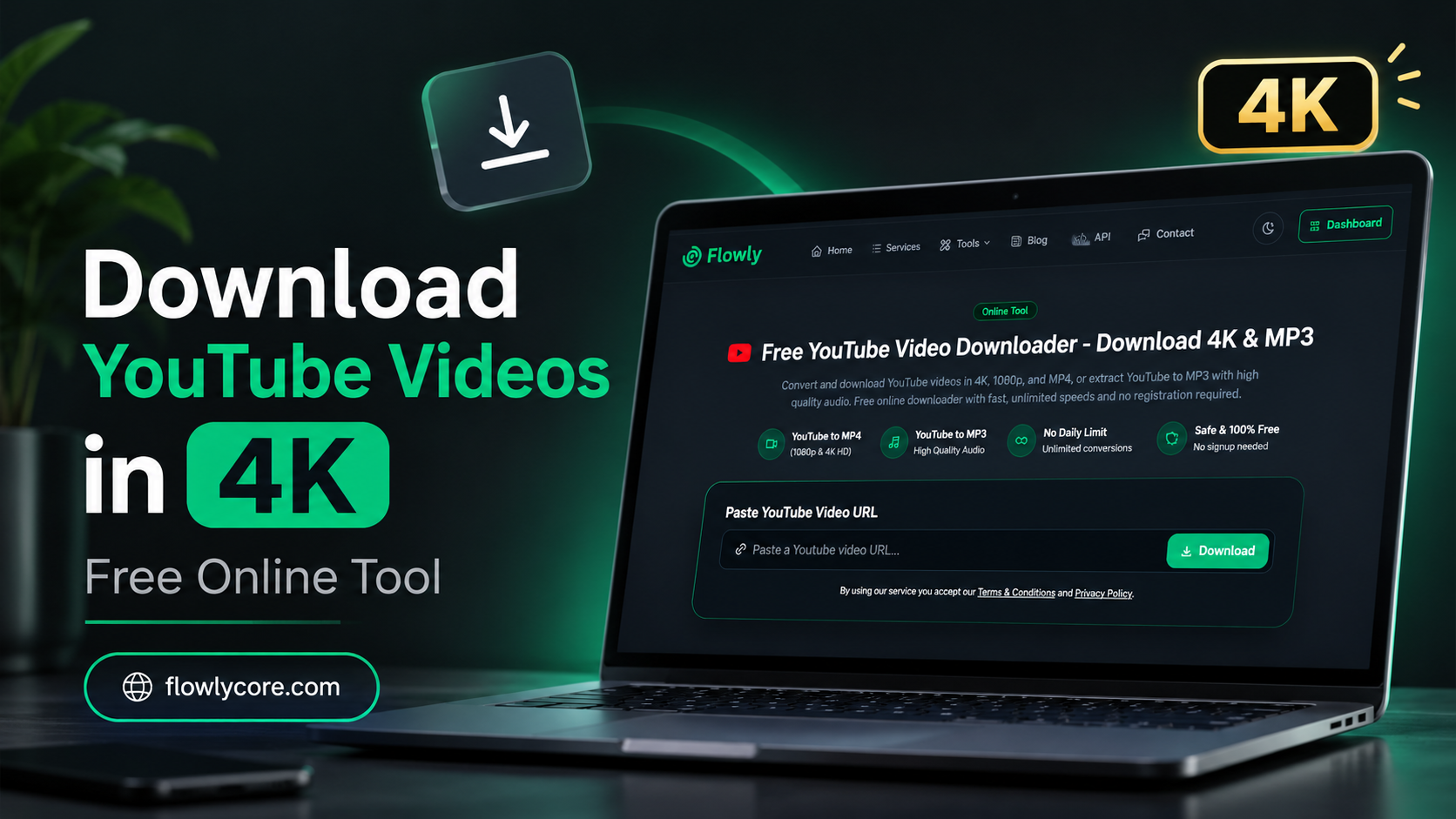
Suggested image: A clean promotional screenshot of Flowly YouTube Downloader featuring the Flowly logo, emerald green accents, and a 4K video quality indicator.
Explore More Tools by Flowly
Flowly is also building tools and solutions for developers and businesses.
Whether you're looking for practical online utilities or tools to integrate into your own workflows, explore more of what Flowly offers.
- Online Tools: Discover useful browser-based utilities.
- Developer Tools & API: Explore tools and API solutions designed to support developers and integrations.
- Business Solutions: Discover services designed to simplify everyday digital workflows.
Visit Flowly to explore more.
Flowly — Everything Flows.