How to Download YouTube Shorts in HD (Free & Easy Guide)
YouTube Shorts has become one of the most popular ways to watch short videos online. From entertainment and tutorials to educational clips and creative content, millions of Shorts are uploaded and watched every day.
But what if you find a video you want to keep, watch offline, or save for later?
In this guide, you'll learn how to download YouTube Shorts videos for free, choose the right video quality, and save them in a format that works on your device.
Why Download YouTube Shorts?
There are several reasons why people want to save YouTube Shorts:
- Offline viewing: Watch your favorite videos without needing an internet connection.
- Save useful content: Keep educational videos, tutorials, and useful tips for later.
- Easy access: Find and replay saved videos without searching through YouTube again.
- Personal collections: Organize interesting videos on your phone or computer.
Keep in mind that downloading and reusing someone else's content may require permission from the original creator.
How to Download YouTube Shorts Videos
You don't need to install additional software or complicated applications. You can use an online YouTube Shorts downloader directly from your browser.
Follow these five simple steps:
Step 1: Open YouTube Shorts
Open YouTube on your phone or computer and find the Short you want to download.
You can browse the Shorts feed or open a specific video from a channel.
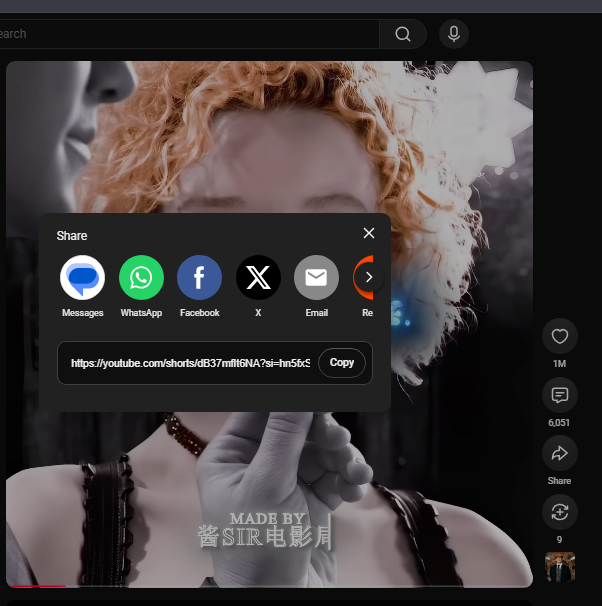
Step 2: Copy the Shorts Video Link
Once you've found your video:
- Open the YouTube Short.
- Tap or click the Share button.
- Select Copy link.
Your video link is now ready to use.
Step 3: Open the Flowly YouTube Downloader
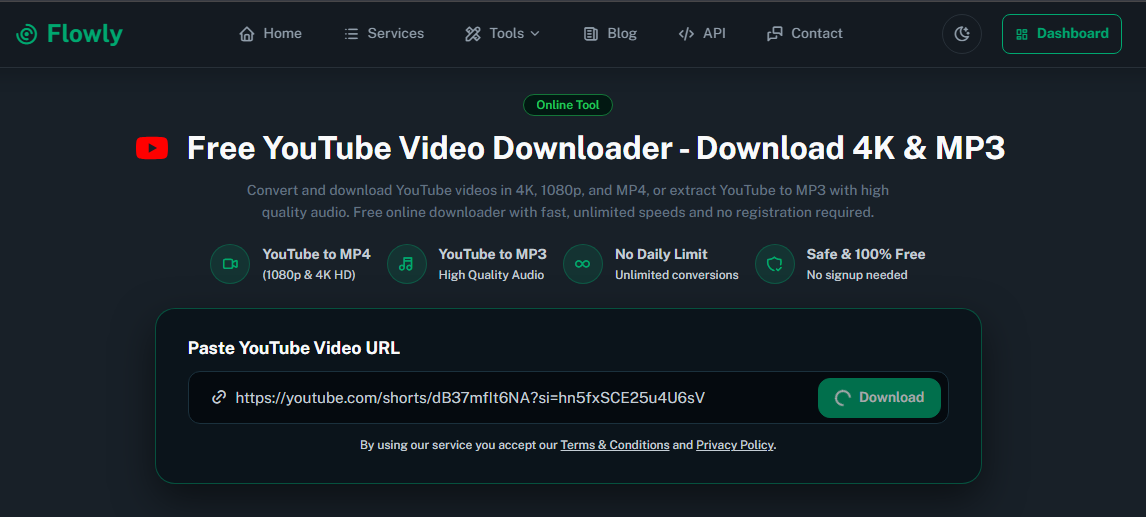
Visit the Flowly YouTube Downloader using your preferred browser.
You don't need to create an account or install a separate application to use the online tool.
Step 4: Paste Your Video URL
Paste the copied YouTube Shorts link into the downloader's input box.
Make sure you have copied the complete URL. Both standard YouTube links and Shorts links may be supported, depending on the tool.
Step 5: Choose Quality and Download
After submitting the link, check the available download options.
Select your preferred video quality and start the download. Once processing is complete, save the video to your device.
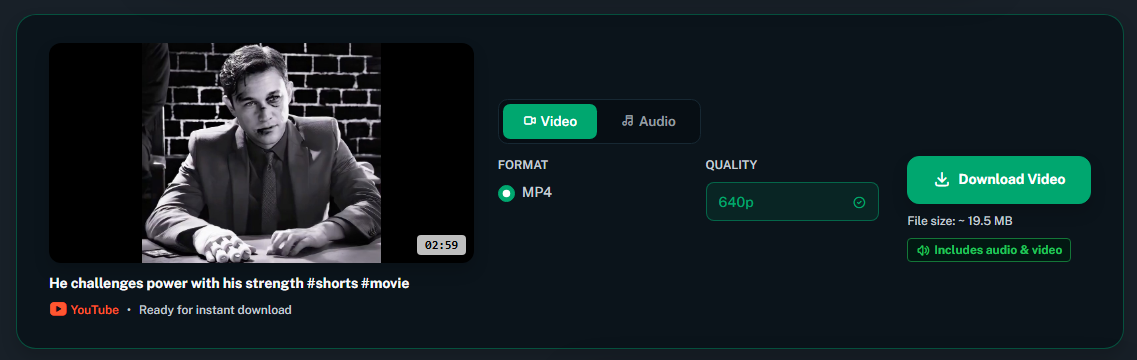
That's it! Your YouTube Short is ready to watch offline.
Understanding YouTube Shorts Video Quality
Before downloading a video, it's useful to understand the available resolutions.
The quality you can download depends on the original video and the available source formats.
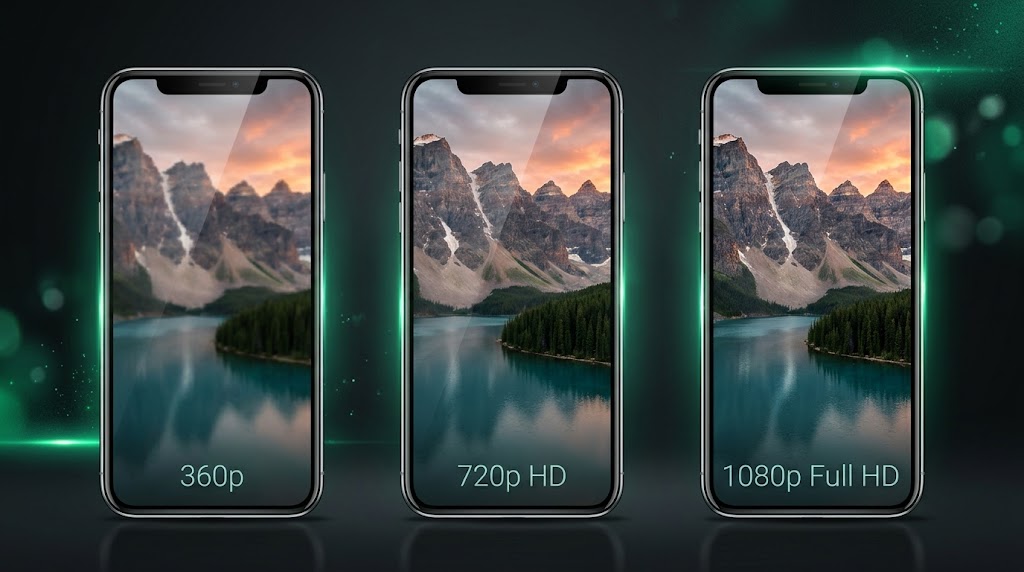
Here are some common video resolutions:
| Resolution | Best For |
| 360p | Smaller files and limited storage |
| 480p | Basic viewing on smaller screens |
| 720p (HD) | Good balance between quality and file size |
| 1080p (Full HD) | Sharper details and better viewing experience |
| 4K (Ultra HD) | High-resolution videos, when available |
Important: Not every YouTube Short is uploaded in Full HD or 4K. Choosing a higher resolution does not improve the original video if that quality was never available.
Which Video Format Should You Choose?
Video format is another important factor when downloading Shorts.
MP4
MP4 is one of the most widely supported video formats. It works with most smartphones, computers, tablets, and media players.
For most users, MP4 is the recommended choice because of its compatibility and convenient playback.
WebM
WebM is another video format commonly used for online video delivery. It can offer efficient compression, but compatibility may vary depending on the device and media player.
If you simply want to save a Short and watch it on different devices, MP4 is generally a practical option.
Tips for Better YouTube Shorts Downloads
Here are a few things to keep in mind:
- Check the original quality: The maximum available download resolution depends on the source video.
- Consider file size: Higher-quality videos usually require more storage space.
- Use a reliable connection: A stable internet connection helps avoid interrupted downloads.
- Check the file format: MP4 is a convenient option for most devices.
- Avoid suspicious software: Online tools can save you from installing unnecessary applications.
Frequently Asked Questions (FAQ)
Can I download YouTube Shorts for free?
Yes. You can use an online downloader such as Flowly to download supported YouTube videos without installing additional software. Available features and download options may vary.
Can I download YouTube Shorts in 1080p?
Yes, when the original video has a 1080p version available and the downloader supports that format. Not all Shorts are available in Full HD.
Can I download YouTube Shorts on my phone?
Yes. You can use a compatible browser on Android or iPhone. Simply copy the Shorts link, open an online downloader, and follow the download instructions.
What is the best format for downloading YouTube Shorts?
MP4 is generally the best choice for everyday use because it is compatible with most modern devices and media players.
Do I need to install an application?
No. An online downloader lets you process supported video links directly through your browser without installing a separate downloader application.
Download YouTube Shorts with Flowly
Saving your favorite Shorts doesn't have to be complicated.
With Flowly YouTube Downloader, you can simply paste a video link, check the available quality options, and download supported videos directly through your browser.
No complicated setup. No unnecessary software.
Try Flowly today and make saving your favorite videos easier!
Download YouTube Videos with Flowly
Always respect copyright, creators' rights, and YouTube's Terms of Service. Download or reuse content only when you have the necessary permission or legal right to do so.